
Spark108
Новичок
-
Регистрация
-
В сети
-
 Spark108 changed their profile photo
 -
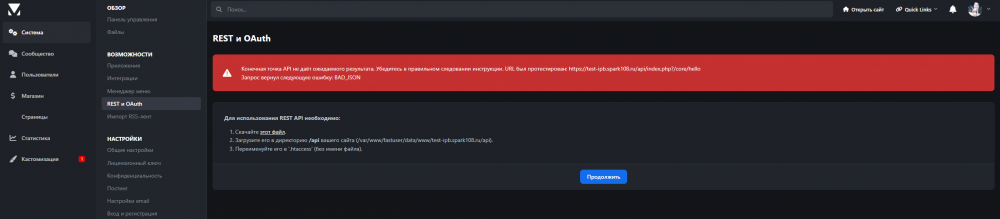
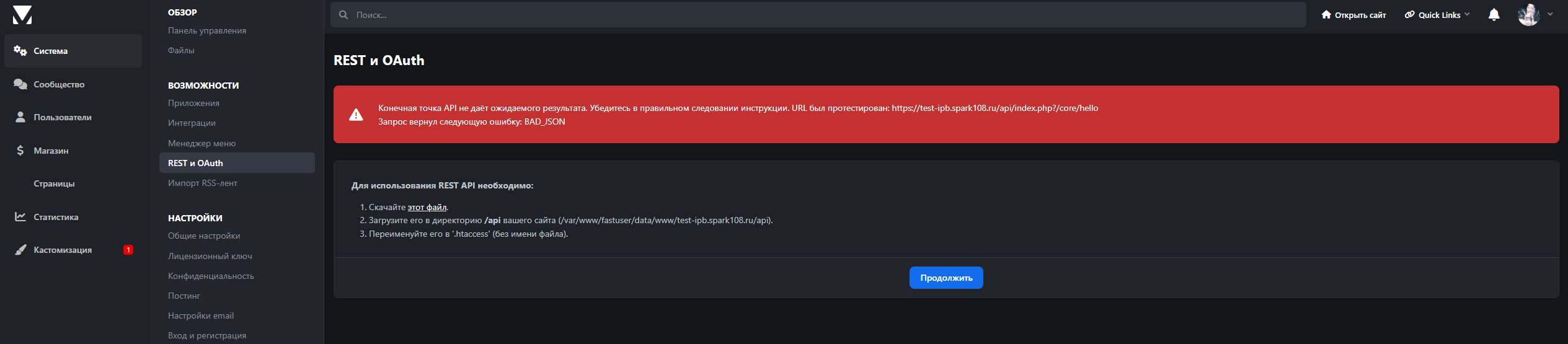
Читал вот эту тему: REST API - Invision Community 4 Support - IPBMafia.ru - поддержка Invision Community, релизы, темы, плагины и приложения Читал вот эту тему: Ошибка в создании ключа Rest API - Invision Community 4 Support - IPBMafia.ru - поддержка Invision Community, релизы, темы, плагины и приложения В одной попытались помочь ТСу, а в другой ТС как-то сам регил и ни с кем не поделился как он это сделал. Пробовал разные конфигурации nginx, .htaccess тоже мучал. Результатов нет. Текущий nginx config server { server_name test-ipb.spark108.ru ; listen 192.168.10.106:443 ssl; ssl_certificate "/var/www/httpd-cert/*****_2025-06-08-20-00_14.crt"; ssl_certificate_key "/var/www/httpd-cert/****_2025-06-08-20-00_14.key"; charset utf-8; gzip on; gzip_proxied expired no-cache no-store private auth; gzip_types text/css text/xml application/javascript text/plain application/json image/svg+xml image/x-icon; gzip_comp_level 1; set $root_path /var/www/fastuser/data/www/****; root $root_path; disable_symlinks if_not_owner from=$root_path; location /api/ { proxy_pass http://127.0.0.1:81; proxy_redirect http://127.0.0.1:81/ /; include /etc/nginx/proxy_params; proxy_set_header Authorization $http_authorization; proxy_set_header X-Authorization $http_authorization; } location / { proxy_pass http://127.0.0.1:81; proxy_redirect http://127.0.0.1:81/ /; include /etc/nginx/proxy_params; } location ~* ^.+\.(jpg|jpeg|gif|png|svg|js|css|mp3|ogg|mpeg|avi|zip|gz|bz2|rar|swf|ico|7z|doc|docx|map|ogg|otf|pdf|tff|tif|txt|wav|webp|woff|woff2|xls|xlsx|xml)$ { try_files $uri $uri/ @fallback; } location @fallback { proxy_pass http://127.0.0.1:81; proxy_redirect http://127.0.0.1:81/ /; include /etc/nginx/proxy_params; } include "/etc/nginx/fastpanel2-sites/fastuser/****.includes"; include /etc/nginx/fastpanel2-includes/*.conf; error_log /var/www/fastuser/data/logs/****-frontend.error.log; access_log /var/www/fastuser/data/logs/****-frontend.access.log; } server { server_name **** ; listen 192.168.10.106:80; return 301 https://$host$request_uri; error_log /var/www/fastuser/data/logs/****-frontend.error.log; access_log /var/www/fastuser/data/logs/****-frontend.access.log; } У меня используется FastPanel. .htaccess тот же, что предложил загрузить IPS.