
Jump to content
View in the app

A better way to browse. Learn more.

IPBMafia.ru - поддержка Invision Community, релизы, темы, плагины и приложения

A full-screen app on your home screen with push notifications, badges and more.

To install this app on iOS and iPadOS
  1. Tap the Share icon in Safari
  2. Scroll the menu and tap Add to Home Screen.
  3. Tap Add in the top-right corner.
To install this app on Android
  1. Tap the 3-dot menu (⋮) in the top-right corner of the browser.
  2. Tap Add to Home screen or Install app.
  3. Confirm by tapping Install.

Documentation like IPS 1.0.0

(0 reviews)

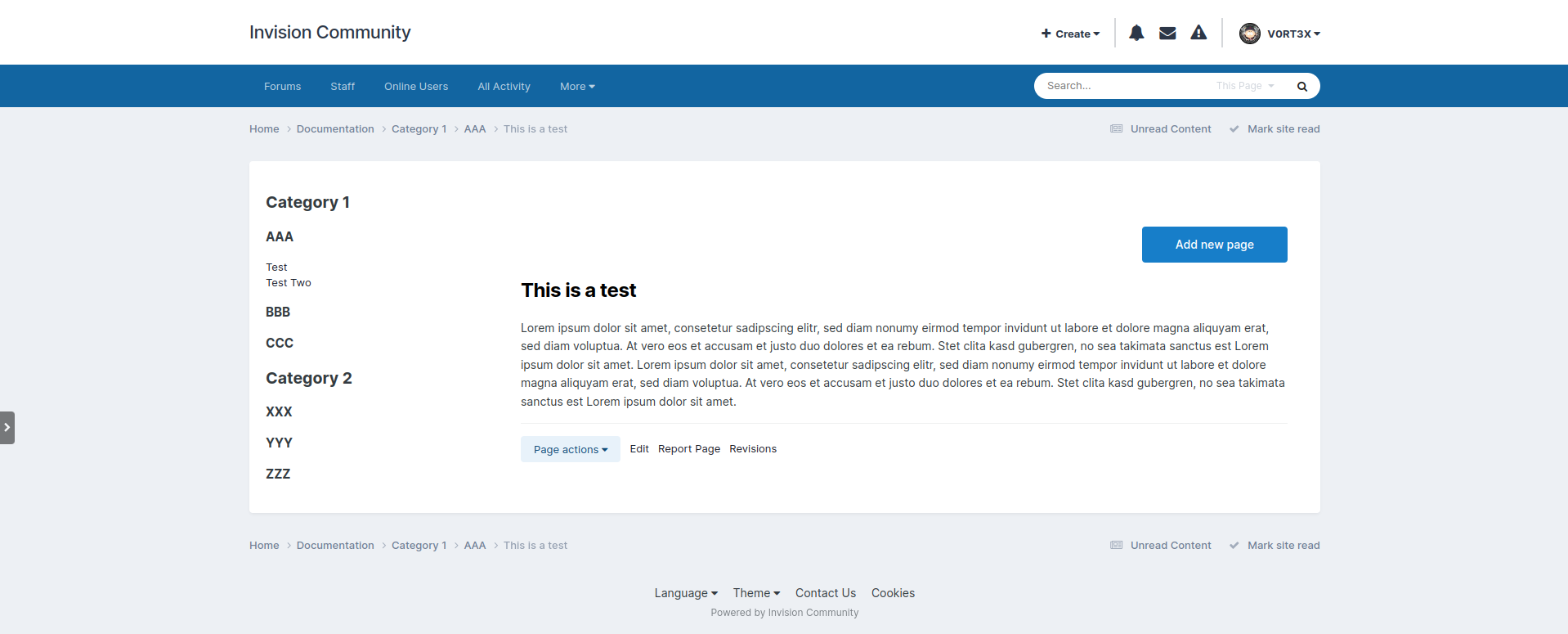
2 Screenshots

Еще одна разновидность базы данных. Можно использовать для любой структурированной документации.

Установка:

1. Создать страницу в Pages -> Page management -> Pages -> + Add Page.
2. Загрузить базу данных в Pages -> Content -> Databases -> + Create New -> вкладка Upload Database -> загрузить файл Documentation.xml.   
3. В публичной части зайти на созданную страницу и разместить на ней виджет из блока Pages -> Database -> Documentation.
4. Настроить виджет, выбрав в настройках виджета базу данных Documentation. 
5. Пользоваться.

Проверено на 4.7.13.


Edited by Zero108

User Feedback

You may only provide a review once you have downloaded the file.

There are no reviews to display.

Configure browser push notifications

Chrome (Android)
  1. Tap the lock icon next to the address bar.
  2. Tap Permissions → Notifications.
  3. Adjust your preference.
Chrome (Desktop)
  1. Click the padlock icon in the address bar.
  2. Select Site settings.
  3. Find Notifications and adjust your preference.
